Page 13 of 31
Re: Conquer National Bank - Updated P20
Posted: Tue Apr 21, 2009 6:34 pm
by thenobodies80
a.sub wrote:rishaed wrote:ppgangster wrote:totally fine with me! (You could put it as a ppgangster's get away car! lol) nah, forget it, too long a name for a territory!
there are still two terr. w/out names by the getaway car i think and the one coming into the bank from the getaway car.


I think he saw the small map in the first post.
- Click image to enlarge.

Don't worry no missed names.
Re: Conquer National Bank - Updated P20
Posted: Tue Apr 21, 2009 8:35 pm
by a.sub
updates (at least what i remember

)
- New Font!
- Moved text on Sticky note
- Lightened up the sticky note
- better car
- made the paths easier to see by reducing the opacity of the layout
- this is a bullet point, it serves no purpose
- Click image to enlarge.

Re: Conquer National Bank - Updated P20
Posted: Wed Apr 22, 2009 2:53 am
by MrBenn
Hello chaps - good to see you still plugging away at this
If you can get the first post of the thread up to date with the latest images (the small and large currently look different), then we'll start to think about a move
Re: Conquer National Bank - Updated P20
Posted: Wed Apr 22, 2009 3:15 am
by TaCktiX
I think the narrative format of the sticky note doesn't quite work. Here's a better setup:
Get all 6 money carts (

- The bottom of the map is still much too dark, the car is barely noticeable. I know you're going for a flashlight effect, but it's getting in the way of readability.
- Teller, TheNP, Limey, Led Zepp need to NOT be column format. Thanks to the opacity on the plans, it's possible to have them merely overlap the walls. It's not in violation of the theme if the scrawled notes of the bank robbers' overlap the plans.
- I would also suggest that all text needs to be in the same orientation as the map. The map's on the table slightly skewed, and every name on the map NOT being that way is jarring. A simple select all and rotate should do most of the work.
- Tag-along to the previous suggestion, all the symbols doing the same. Attack circles do NOT need to be that way, as the difference would be minute.
- A lot of the territory names are haphazardly placed around their circles, some significantly "off". Standardize where it'll be, giving allowances for territory lines.
- Instead of naming the alarms, adopting the same Alarm 1, 2, 3 system as the carts works better. The variance between forum member name and location is jarring.
You know, I meant to just note the legend, but once I start I can't stop. Behold, your map got

Re: Conquer National Bank - Updated P20
Posted: Wed Apr 22, 2009 6:03 am
by thenobodies80
Great the last version is very good.

Now, with a different font, the routes are more clear.
I can't see a valid point to remove the door now, so i retire this my previous suggestion.
You're doing a great work!
Have a nice day
TNBDS
Re: Conquer National Bank - Updated P20
Posted: Wed Apr 22, 2009 10:34 pm
by a.sub
TaCktiX wrote:I think the narrative format of the sticky note doesn't quite work. Here's a better setup:
Get all 6 money carts (
![Image]()
i disagree with this one sorry, i like the current one better because it should sound like a note to self
- The bottom of the map is still much too dark, the car is barely noticeable. I know you're going for a flashlight effect, but it's getting in the way of readability.
ur absolutely right, fixed 
- Teller, TheNP, Limey, Led Zepp need to NOT be column format. Thanks to the opacity on the plans, it's possible to have them merely overlap the walls. It's not in violation of the theme if the scrawled notes of the bank robbers' overlap the plans.
done for the most part, the one that were slated were left that way because i like the disorder imo, tho if you get mreo support it will be changed
- I would also suggest that all text needs to be in the same orientation as the map. The map's on the table slightly skewed, and every name on the map NOT being that way is jarring. A simple select all and rotate should do most of the work.
i agree and this will be done, how ever this is tedious as they are all in different orientations as is, and if i do this there is a high probability that i may straiten even the ones i didnt want to do before (in above comment)
- Tag-along to the previous suggestion, all the symbols doing the same. Attack circles do NOT need to be that way, as the difference would be minute.
i have to disagree with this one, i want them to be clear, and orienting them even a bit may mess with that, btu once again if you gain support i will do it.
- A lot of the territory names are haphazardly placed around their circles, some significantly "off". Standardize where it'll be, giving allowances for territory lines.
- Instead of naming the alarms, adopting the same Alarm 1, 2, 3 system as the carts works better. The variance between forum member name and location is jarring.
sadly the map is very constrained, ergo i must leave most of them as is, however if a few of them specifically in mind
You know, I meant to just note the legend, but once I start I can't stop. Behold, your map got
lol well with the help it gave me id love to be auto attacked (pun intended!)
thenobodies80 wrote:Great the last version is very good.
thanks 
Now, with a different font, the routes are more clear.
again thanks
I can't see a valid point to remove the door now, so i retire this my previous suggestion.
all suggs welcome, tho nto all will be implemented lol
You're doing a great work!
you're too kind
Have a nice day
you too
TNBDS
A.SUB 
- Click image to enlarge.

- Click image to enlarge.

Re: Conquer National Bank - Updated P20
Posted: Thu Apr 23, 2009 1:10 am
by lzrman
I find the larger version in the area of the Get away car way to dark? might be just me what u all think?
Re: Conquer National Bank - Updated P20
Posted: Thu Apr 23, 2009 8:48 am
by rishaed
lzrman wrote:I find the larger version in the area of the Get away car way to dark? might be just me what u all think?
i agree on this one i can't even see it

Re: Conquer National Bank - Updated P20
Posted: Thu Apr 23, 2009 9:25 am
by ppgangster
Yeah, it's like it is not the same map... I know the magnifying effect could make it more readable... but I don't think the desired effect is there...
I am working on a laptop most of the time, and the brightness is an issue I can fix pretty quickly... but even at full bright (which almost blinds me) I have readability problems with the corners...
Maybe a suggestion...
what if you would have the image of a lamp looking over the map, which would seems like a nice addition instead of a dynamite... You could still put your credit on it...
Let me pull up some more images... (that's the only think I'm good at right now!) but do what you think has to be done! I am no expert!
Reverse it, take out the candlestick in it and if you lay this on the table or angle it to see only the first half of it or so, it could work...

Maybe just the image of a bulb would do!

Of a desk lamp???

And I just thought this one was funny!

Re: Conquer National Bank - Updated P20
Posted: Thu Apr 23, 2009 3:54 pm
by tlane
The desk lamp that ppgangster offered up, sounds like a good idea to me, except it may be a bit hard to fit in.
This is looking much better with the new text.
Just being picky, could you add in a period(or exclamation point) after "Get 6 carts and the get away car to win", if you don't want to that is fine.
looking great
tlane
Re: Conquer National Bank - Updated P20
Posted: Thu Apr 23, 2009 7:04 pm
by lzrman
Why don't you light it up with the "light circle" procured by a lamp?
Re: Conquer National Bank - Updated P20
Posted: Thu Apr 23, 2009 7:06 pm
by a.sub
Just expermienting, tell me what you all think
(the old one still exists this was saved in a diff name)
- Click image to enlarge.

Re: Conquer National Bank - Updated P20
Posted: Thu Apr 23, 2009 7:41 pm
by thenobodies80
Actually the problem was only moved on the upper part of the map... Dynamite is dark and mapmakers names invisible.
In my opinion you have to use a different angle, perhaps from the lower left angle to the upper right one. like a sort of torch on the table.

TNBDS
Re: Conquer National Bank - Updated P20
Posted: Thu Apr 23, 2009 8:07 pm
by Danyael
i like how this has come along keep experimenting with your lighting filters
i have a hard time seeing the word "entrance" as well all of the symbols by the army circles of that same colour
i think its the way that colour and the main colour contrast way to much
Re: Conquer National Bank - Updated P20
Posted: Thu Apr 23, 2009 8:41 pm
by lzrman
Could try it w/ a Tri Light solution
u know in photoshop you got the red blue green filter for lights that have 3 lights u could try something like that
Re: Conquer National Bank - Updated P20
Posted: Fri Apr 24, 2009 8:27 am
by bryguy
Hmm... FIrst time commenting on this
1) Don't really care for the texture of some things, these things being the following:
A) The car
B) The territory circles
C) The room outlines
D) The title
Those things the texture could probably do with changing, as they do not currently look all that good... (Letters that I have bolded are ones that look worse IMO)
2) I do not like the font used for the title, it just doesn't seem to fit the map. Have you thought of using a font that is slightly more faded/eroded at parts, or maybe one that is more of a rough sketch? Some that I think might look good are:


(^Would have to remove wing things)
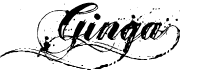



There are many more, but those are some that I think might look good.
3) The carts and guns could probably used with a slight drop in opacity
4) Same with the army circles
5) The room outline/building plans do not really seem like building plans. Here are some pictures of building plans that might be good inspiration:
- Click image to enlarge.

- Click image to enlarge.

- Click image to enlarge.


Building plans usually tend to be a bit more sketchy in places, with doors being a line with dashes to it if it is open.
6) The wood background seems strange to me in every spot except in the lower right corner. Maybe consider changing it? There is a good tut here:
http://www.webdesign.org/cat/photoshop/ ... p.489.html
7) Some of the names, especially the up and down ones, are harder to read.

It is almost impossible to read the red name under Tlane and right of A.Sub
9) The car seems weird IMO. Maybe do something like in the third building outline picture?? (Look in spoiler, it is 3rd picture down)
Also, Would it be possible that you could say when the updates are? Title says page 20, yet the newest updates are on page 21.
Re: Conquer National Bank - Updated P20
Posted: Fri Apr 24, 2009 8:03 pm
by a.sub
bryguy wrote:Hmm... FIrst time commenting on this
1) Don't really care for the texture of some things, these things being the following:
A) The car
B) The territory circles
C) The room outlines
D) The title
i disagree, i like the textures. but thanks you for commenting
2) I do not like the font used for the title, it just doesn't seem to fit the map. Have you thought of using a font that is slightly more faded/eroded at parts, or maybe one that is more of a rough sketch? Some that I think might look good are:
once again i disagree, i like it because its simple in contrast to the rest of the map which has a lot of detail
3) The carts and guns could probably used with a slight drop in opacity
i left em that way to make them more visible but i will experiment with them
4) Same with the army circles
i left em that way to make them more visible but i will experiment with them
5) The room outline/building plans do not really seem like building plans. Here are some pictures of building plans that might be good inspiration:
to be honest i really dont want to re do the building unless absolutely necessary too much work into the current design
6) The wood background seems strange to me in every spot except in the lower right corner. Maybe consider changing it? There is a good tut here:
u shall test it out
7) Some of the names, especially the up and down ones, are harder to read.
none of them are up and down anymore as i recall but i will check for you
It is almost impossible to read the red name under Tlane and right of A.Sub
once again i think you have the wrong version
9) The car seems weird IMO. Maybe do something like in the third building outline picture?? (Look in spoiler, it is 3rd picture down)
i like the car in the current, makes me smile
Also, Would it be possible that you could say when the updates are? Title says page 20, yet the newest updates are on page 21.
ill contact lzrman about it
Re: Conquer National Bank - Updated P20
Posted: Fri Apr 24, 2009 10:48 pm
by bryguy
a.sub wrote:bryguy wrote:2) I do not like the font used for the title, it just doesn't seem to fit the map. Have you thought of using a font that is slightly more faded/eroded at parts, or maybe one that is more of a rough sketch? Some that I think might look good are:
once again i disagree, i like it because its simple in contrast to the rest of the map which has a lot of detail
5) The room outline/building plans do not really seem like building plans. Here are some pictures of building plans that might be good inspiration:
to be honest i really dont want to re do the building unless absolutely necessary too much work into the current design
Okay, thats your choice, but I must say that I believe that if you do then this map will get the graphics stamp sooner.
Why not just give it a try if you have a chance? It actually would probably not take that much time.
7) Some of the names, especially the up and down ones, are harder to read.
none of them are up and down anymore as i recall but i will check for you
It is almost impossible to read the red name under Tlane and right of A.Sub
once again i think you have the wrong version
ill contact lzrman about it
[/quote]
No, I have the right version. The version I am looking at is the one(s) posted on Page 21, which you say are updated.
a.sub wrote:updates (at least what i remember
)
- New Font!
- Moved text on Sticky note
- Lightened up the sticky note
- better car
- made the paths easier to see by reducing the opacity of the layout
- this is a bullet point, it serves no purpose
- Click image to enlarge.
Re: Conquer National Bank - Updated P20
Posted: Fri Apr 24, 2009 11:20 pm
by a.sub
a.sub wrote:Just expermienting, tell me what you all think
(the old one still exists this was saved in a diff name)
- Click image to enlarge.
once again i apologize for the confusion if that was hard to tell
Re: Conquer National Bank - Updated P22
Posted: Sat Apr 25, 2009 12:40 am
by a.sub
Re: Conquer National Bank - Updated P22
Posted: Sat Apr 25, 2009 1:14 am
by lzrman
I like #5
Re: Conquer National Bank - Updated P22
Posted: Sat Apr 25, 2009 5:46 am
by rishaed
lzrman wrote:I like #5
i agree with lzrman .... seems to happen alot
...you should put up a poll
Re: Conquer National Bank - Updated P22
Posted: Sat Apr 25, 2009 10:57 am
by bryguy
Definitely 5
Re: Conquer National Bank - Updated P22
Posted: Sat Apr 25, 2009 11:04 am
by tlane
bryguy wrote:Definitely 5
5
Re: Conquer National Bank - Updated P22
Posted: Sat Apr 25, 2009 12:44 pm
by a.sub
it has been been stickied :DDDDDDD
and it looks like we have a unanimous vote for 5 so far rofl
but whats more important is what you do/dont like about all five of em so i could try an improve


