Page 4 of 5
Re: Belgium 3.? Update p1,5! (new poll!)
Posted: Wed Apr 22, 2009 2:23 pm
by captainwalrus
Sorry for not posting the update yet, I am swamped with school work, and hockey.
Re: Belgium 3.? Update p1,5! (new poll!)
Posted: Wed Apr 22, 2009 2:59 pm
by dolomite13
I am enjoying watching this map develop =)
Re: Belgium 4.0 w/ TNBS help pg 1, 6
Posted: Sat May 02, 2009 5:13 pm
by captainwalrus
- Click image to enlarge.

Thenobodies offered to help so he changed some stuff then I changed some more.
His changes
Colors
Water
Font
THen I changed
Borders -they are much more accurate now (I've said that a lot)
Re: Belgium 4.0 w/ TNBS help pg 1, 6
Posted: Sat May 02, 2009 5:52 pm
by saaimen
Take care of all spelling mistakes, please...
I'm Belgian and I can't stand them anymore

I thought you'd do them, yet here's another update without any new spelling...
Re: Belgium 4.0 w/ TNBS help pg 1, 6
Posted: Sat May 02, 2009 6:06 pm
by captainwalrus
saaimen wrote:Take care of all spelling mistakes, please...
I'm Belgian and I can't stand them anymore
I thought you'd do them, yet here's another update without any new spelling...
Damn it, I knew I was missing something. I will get right on it, I'm sorry.
Re: Belgium 4.0 w/ TNBS help pg 1, 6
Posted: Sat May 02, 2009 6:41 pm
by thenobodies80
Hey mate...
I was worried

, but now you're come back.

Yes, I gave you a very little help, but there's still a lot to do....

Some quick suggestions:
- Borders are more geographically accurate but are very pixelous. What tool do you use to do them on Gimp?
- You didn't change the colors on the legend and zone names are very small.
- You don't need a so strong border on luxemburg and germany (they are neutral)
- I don't like the attack route leper-tourani, but you can leave it if you will add the missed administrative part in Leper:
- The gameplay is too flat...try to add something particular to make your map more "interesting"
- Add something (i did for you a quick guide about layers/textures

) to make your background nicer, now is too flat.
P.s. To remove the poll,simply delete all the informations you edited.
Re: Belgium 4.0 w/ TNBS help pg 1, 6
Posted: Sat May 02, 2009 6:56 pm
by captainwalrus
thenobodies80 wrote:Hey mate...
I was worried
, but now you're come back.
Like I said before, I was just very busy.
Yes, I gave you a very little help, but there's still a lot to do....
Some quick suggestions:
- Borders are more geographically accurate but are very pixelous. What tool do you use to do them on Gimp?
I used the brush tool (the smallest size 1.40 scale) and made that layer opacity 50% then in a different layer used a pencil tool just one pixel and went over the borders. If I make the brush layer like 70% it will probably be less pixely since the pencil won't stand out as much.
- You didn't change the colors on the legend and zone names are very small.
I will do that soon, since I already need to change the names I forgot to change.
- You don't need a so strong border on luxemburg and germany (they are neutral)
I'll change that too.
- I don't like the attack route leper-tourani, but you can leave it if you will add the missed administrative part in Leper:
I had the attack route so I could didn't need to put in that district. I didn't want to cram it in there and if it was going to be part of tourini anyway I figured I sould just have an arrow.
- The gameplay is too flat...try to add something particular to make your map more "interesting"
I'll try to be creative.
- Add something (i did for you a quick guide about layers/textures
) to make your background nicer, now is too flat.
I was thinking flags of all the bordering countries.
P.s. To remove the poll,simply delete all the informations you edited.
Re: Belgium 4.0 w/ TNBS help pg 1, 6
Posted: Sat May 02, 2009 8:19 pm
by tlane
So I like the idea captain, hopefully these suggs will get it moving a bit faster
Here are a bunch of little things you should fix now instead of later:
1. You have two territories that have not been named, one in the top left next to Oostende, and one in the middle of Tielt, leper, kortrijk, and Diksmuide
2. The borders are a bit to sharp/pixely (don't know if that is a word). To fix this you should either redo them with a 2px circle brush, or put some guassain blur on them(don't know if this is different for gimp).
3. In the Brussels insert, it says that all territories can attack Halle-vilvoorde. Did you think about the fact that Ixelles is fully surrounded by other Brussels places. This may make you want to rethink that, unless i am reading it wrong.
4. You may want to put some sort symbol of Brussels to show that it is part of the insert.
5. As TNBDS said, you should put some texture in the background.
hope this helps
tlane
*sorry of I repeated some stuff, I wrote this earlier and forgot to hit post
Re: Belgium 4.1 w/ TNBS help pg 1, 6
Posted: Sat May 02, 2009 10:03 pm
by captainwalrus
- Click image to enlarge.

Is this less pixely?
And sorry about not changing the misspellings, there is a problem with the font so I can't change text.
Re: Belgium 4.1 w/ TNBS help pg 1, 6
Posted: Sun May 03, 2009 4:47 am
by saaimen
captainwalrus wrote:
And sorry about not changing the misspellings, there is a problem with the font so I can't change text.
Guess you know what to get busy with for the next update then
Re: Belgium 4.1 w/ TNBS help pg 1, 6
Posted: Sun May 03, 2009 9:27 am
by thenobodies80
I suggest you to use the Path tool to edit your borders...it's a powerful tool in GIMP...
Here you can find a guide to use this tool:
http://docs.gimp.org/en/gimp-tools-othe ... -tool-path
This is a quick guide for you (sorry for italian language on image):
First of all you have to select the path tool, then click where you have to start.
- Click image to enlarge.

Then move, and click again, if you click and hold the button, you can manage the segment, when you like it, release the button (don't worry, you can modify it again,just clicking on it).
- Click image to enlarge.

OK, continue in this way till you reach your final point, now select stroke path (
delinea il tracciato in my image)
- Click image to enlarge.

Now, simply, set the options as you see in the image, then click on stroke (
delinea)
- Click image to enlarge.

Your border is done and it isn't pixelous.
- Click image to enlarge.

Use different options (wide/color) to differentiate zone borders from regions borders.
TNBDS
Re: Belgium 4.1 w/ TNBS help pg 1, 6
Posted: Sun May 03, 2009 12:28 pm
by captainwalrus
Thanks for the advise. It was suggested to me before, but before I was using GIMP and I just had photoshop elements, which has no path tool. I had forgotten about the suggestion. I'll try that. Hopefully I won't be as busy this week.
Re: Belgium 4.1 w/ TNBS help pg 1, 6
Posted: Sun May 03, 2009 10:50 pm
by mibi
Just when I thought we have milked everything out of Benelux...
Re: Belgium 4.1 w/ TNBS help pg 1, 6
Posted: Tue May 05, 2009 2:07 pm
by captainwalrus
mibi wrote:Just when I thought we have milked everything out of Benelux...
You'd think you would have realized that we hadn't by noticing there was no Belgium. Are you saying that there should not be a belgium map? It is a fine region of a map and I see no reason why not to have a Belgium map.
Re: Belgium 4.1 w/ TNBS help pg 1, 6
Posted: Tue May 05, 2009 3:25 pm
by mibi
captainwalrus wrote:mibi wrote:Just when I thought we have milked everything out of Benelux...
You'd think you would have realized that we hadn't by noticing there was no Belgium. Are you saying that there should not be a belgium map? It is a fine region of a map and I see no reason why not to have a Belgium map.
I have no problem with a well done Belgium map. It just seems like an over-represent part of the world.
Re: Belgium 4.1 w/ TNBS help pg 1, 6
Posted: Tue May 05, 2009 6:53 pm
by saaimen
mibi wrote:
I have no problem with a well done Belgium map. It just seems like an over-represent part of the world.
What do you mean? On CC? Or in real life
?
I think neither is true.
For God's sake, San Marino is on three CC maps...
Re: Belgium 4.1 w/ TNBS help pg 1, 6
Posted: Wed May 06, 2009 5:04 am
by TaCktiX
Alrighty. Let's do this.
Graphics
- Bold. Far too bold. Like, in your face "YOU TALKIN' 'BOUT BELGIUM, MOFO!?" bold. The colors need to be dialed back a lot.
- The rivers and sea...that texture doesn't work, particularly with the rivers and how they seem to be overflowing their banks to flood wide stretches of the Belgian countryside.
- Try to add some sort of border between Belgium and the sea. Right now the direct switch-off is disconcerting and draws one's eye straight there.
- As for how to fix the font issue, when you try to edit it and it tells you "no font", look at the name of the font it shows in [brackets] in the menu bar. Then do a Google search for that font, install it, and it should fix back to editable.
- The arrows are decent, though some more Belgian-like replacement could be done.
- For flavor, note what countries above, below, and to the east Belgium has borders with.
- Why the change in border color for the dark blue continent? Consistent black should be the plan, especially after you wash out the colors a smidge.
Gameplay
- The bonuses are in need of a box, or some other way to distinguish them from the map, as right now they are very hard to read.
- Sure it was already noted, but All Territories of Brussels BORDER is the proper spelling.
- The Brussels bonus is heavily inflated, especially considering that if one holds just 2 more territories than Brussels (the Antwerpen bonus), he has a +9 with only 2 territories to defend.
- Look into some variety of minimap, as by colors alone I'm having difficulty matching bonus to bonus.
- Instead of textually noting Brussels' connections, how about put that into a box, and put the initial outlines of the two territories of Antwerpen around it. That'll explain quite simply with no extra used space how things connect, and you can get rid of the dots.
This map has been

.
Re: Belgium 4.1 w/ TNBS help pg 1, 6
Posted: Wed May 06, 2009 5:28 am
by Beko the Great
First of all, good work so far. Your map has been improving, yet there's still a long way to go!
In terms of gameplay this map adds nothing new at all, yet, if there is a map of USA, of Canada, of Portugal, of Netherlands, of China, of Australia, etc. why not a map of Belgium? I totally agree.
I like the rivers (impassables) yet the territory graphics are too brighty and colorful, please try to fix this. As I said, there is still a long way to go, but dont give up!
Re: Belgium 4.1 w/ TNBS help pg 1, 6
Posted: Wed May 06, 2009 6:16 am
by saaimen
TaCktiX wrote:
- The Brussels bonus is heavily inflated, especially considering that if one holds just 2 more territories than Brussels (the Antwerpen bonus), he has a +9 with only 2 territories to defend.
(...)
- Instead of textually noting Brussels' connections, how about put that into a box, and put the initial outlines of the two territories of Antwerpen around it. That'll explain quite simply with no extra used space how things connect, and you can get rid of the dots.
Wow, I hadn't even noticed...
Since you changed the colors, the provinces' colors don't match the colors of their names anymore.
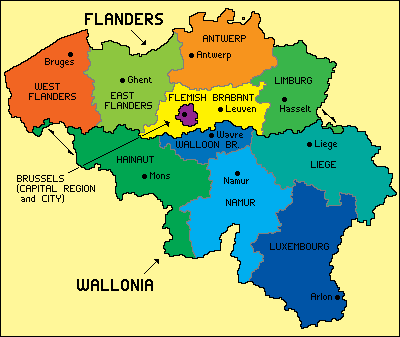
Antwerpen does not surround Brussels, although I see now where TaCktiX got this from. (Btw: wouldn't it be strange if the city of Antwerpen was NOT in the province Antwerpen
?)
Just to make sure: the province surrounding Brussels is Vlaams Brabant.
Re: Belgium 4.1 w/ TNBS help pg 1, 6
Posted: Wed May 06, 2009 2:20 pm
by captainwalrus
TaCktiX wrote:Alrighty. Let's do this.
Graphics
- Bold. Far too bold. Like, in your face "YOU TALKIN' 'BOUT BELGIUM, MOFO!?" bold. The colors need to be dialed back a lot.
I'll try.
- The rivers and sea...that texture doesn't work, particularly with the rivers and how they seem to be overflowing their banks to flood wide stretches of the Belgian countryside.
I'll make them narrower and mabey ad a thin line in between the rivers and territories.
- Try to add some sort of border between Belgium and the sea. Right now the direct switch-off is disconcerting and draws one's eye straight there.
I will.
- As for how to fix the font issue, when you try to edit it and it tells you "no font", look at the name of the font it shows in [brackets] in the menu bar. Then do a Google search for that font, install it, and it should fix back to editable.
The only place I could find that font, it cost 29 dallors. It is supposed to be a standard GIMP font, but I can't find it. I like that font but I guess I will pick another. (It is Hobo std. If anyone has it, pm me if you want to send me a copy of the file.)
- The arrows are decent, though some more Belgian-like replacement could be done.
Like what?
- For flavor, note what countries above, below, and to the east Belgium has borders with.
I had that before, I'll put them back.
- Why the change in border color for the dark blue continent? Consistent black should be the plan, especially after you wash out the colors a smidge.
That was just a test. In the new version I have them all like that but it is a different layer so I can just get rid of it if people don't like it
Gameplay
- The bonuses are in need of a box, or some other way to distinguish them from the map, as right now they are very hard to read.
Will do.
- Sure it was already noted, but All Territories of Brussels BORDER is the proper spelling.
If you haven't noticed already, spelling is not my strongest element.
- The Brussels bonus is heavily inflated, especially considering that if one holds just 2 more territories than Brussels (the Antwerpen bonus), he has a +9 with only 2 territories to defend.
I wasn't thinking of the combined bonus. +6 is better then?
- Look into some variety of minimap, as by colors alone I'm having difficulty matching bonus to bonus.
I forgot to change those colors when the map colors were changed.
- Instead of textually noting Brussels' connections, how about put that into a box, and put the initial outlines of the two territories of Antwerpen around it. That'll explain quite simply with no extra used space how things connect, and you can get rid of the dots.
I'll try, but It might be a wierd shape, I'll have to see.
This map has been
.
Thanks for the advice.
Re: Belgium 4.1 w/ TNBS help pg 1, 6
Posted: Thu May 07, 2009 6:14 pm
by thenobodies80
captainwalrus wrote:The only place I could find that font, it cost 29 dallors. It is supposed to be a standard GIMP font, but I can't find it. I like that font but I guess I will pick another.
http://www.searchfreefonts.com/free/hobo.htm
TNBDS
Re: Belgium 4.1 w/ TNBS help pg 1, 6
Posted: Thu May 07, 2009 7:27 pm
by captainwalrus
thenobodies80 wrote:captainwalrus wrote:The only place I could find that font, it cost 29 dallors. It is supposed to be a standard GIMP font, but I can't find it. I like that font but I guess I will pick another.
http://www.searchfreefonts.com/free/hobo.htm
TNBDS
I downloaded it, but I still can't use it. When I open it it tells me my Winzip trial period is expired and I need to pay $29.99. I think I'll give up on the Hobo font and pick something new so I can fix the spelling and get the update up.
Re: Belgium 4.1 w/ TNBS help pg 1, 6
Posted: Thu May 07, 2009 7:35 pm
by LED ZEPPELINER
Lol i use hobo std for one of my maps, absolutely love the font. It gives it a nice poppy feeling.
Re: Belgium 4.1 w/ TNBS help pg 1, 6
Posted: Fri May 08, 2009 4:10 am
by thenobodies80
i tested this one and it is free and working....
http://www.ecofonts.com/download-free-font/hobo2.aspx
http://www.ecofonts.com/download-free-font/hobo.aspx
simply unzip the file and copy it
in your Font directory (C:\WINDOWS\Fonts)
Then when you will use gimp, you will be able to see that font type and to use it
TNBDS
Re: Belgium 4.1 w/ TNBS help pg 1, 6
Posted: Fri May 08, 2009 5:07 am
by saaimen
thenobodies80 wrote:i tested this one and it is free and working....
(...)
simply unzip the file and copy it in your Font directory (C:\WINDOWS\Fonts)
captainwalrus wrote:When I open it it tells me my Winzip trial period is expired and I need to pay $29.99.
The font is free alright, captainwalrus, you just can't unzip it
You just need an unzip-application that's free. Google brought me this as a first hit:
http://www.camunzip.com/
Looks ok, but feel free to search for yourself.