This is looking great (the version without the easter egg paint swipes). A solid representation of the state.
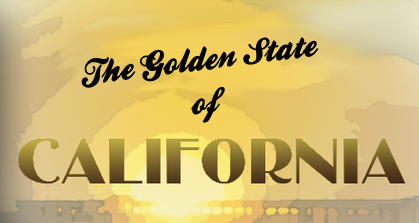
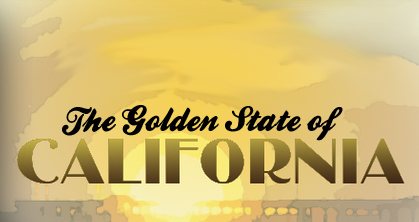
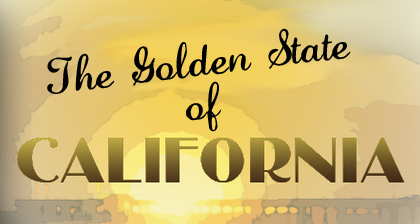
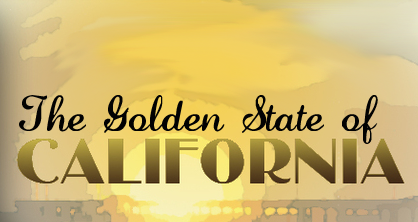
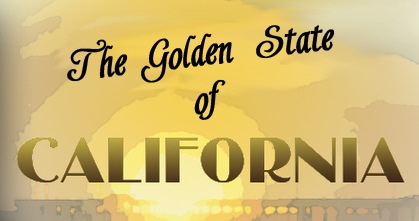
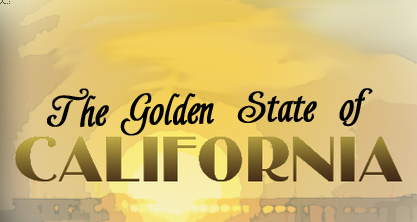
My only criticism is the fonts used for the titles. They seem rather flat and brush script is a very recognizable font. I feel like California could using something bolder.
Dafont.com has a wide selection of free fonts you can download. I bet you can find a font there that really suits this map.
jefjef wrote:Nice. But why is the bay brown on the main map? Why not have the inset solid bordered for SF?
Because they brown nose Sacramento!
Okay seriously, the water in the insets need to be toned down like the rest of the background is. Also can you swap the seal and your names around. It seems funny that the names are in a highly visual part of the map but the seal isn't. The names should be seen but not right in the players vision. If you put them in that same corner under the seal that would be great.
Ok here's the changes requested by Isiah. Concerning the font's suggested by Lostatlimbo, there are some cool font's that you posted. Some might work. I'm happy with the font that I have now but I'll try a few on for size, and see if they work.
Last edited by The Bison King on Sat Apr 09, 2011 12:45 pm, edited 3 times in total.
Hi, my name is the Bison King, and I am COMPLETELY aware of DaFont!
Someone mentioned something recently about the logo... the current logo doesn't seem to fit, imo. That other copyrighted font was perfect though... could you somehow replicate it? Perhaps integrating the seal into the logo could work as well... I think it needs some playing with.
The colors still seem blown out to me. I understand you want colorful and vibrant... but I think they're blown out.
Someone mentioned something recently about the logo... the current logo doesn't seem to fit, imo. That other copyrighted font was perfect though... could you somehow replicate it? Perhaps integrating the seal into the logo could work as well... I think it needs some playing with.
When you say "logo" do you mean "title"?
The colors still seem blown out to me. I understand you want colorful and vibrant... but I think they're blown out.
I purposefully made them brighter because the upload process always seems to dull the colors down a bit. I'm trying to counter act that.
Hi, my name is the Bison King, and I am COMPLETELY aware of DaFont!
The Bison King wrote:I purposefully made them brighter because the upload process always seems to dull the colors down a bit. I'm trying to counter act that.
Try saving the images as PNG:s. PNG is a lossless format and supports gamma correction so your images should show up exactly as they show on your computer.
Anyway, you could try desaturating the colours a bit.
Anyway, you could try desaturating the colours a bit.
I have tried desaturating it. Older version were much less vivid. I brightened up the colors because I wanted them to be bright. We'll see how they look after upload. If they need tweeking then, then tweeking they will need.
Try saving the images as PNG:s. PNG is a lossless format and supports gamma correction so your images should show up exactly as they show on your computer.
I thought I did that, for one of my other maps... maybe not... I can't remember.
Hi, my name is the Bison King, and I am COMPLETELY aware of DaFont!
I would suggest tweaking the colour scheme of the map more into this direction:
Click image to enlarge.
I also played with some other things here, but the main point is the colour scheme... see the dark and saturated background, with increased contrast that accentuates the sunset while still keeping it in the background, not competing with the actual map... versus the somewhat faded, desaturated yet bright and "glowy" land area. See how it creates a sort of depth to the map?
InsomniaRed wrote:Something about that, Natty, just isn't making my eyes completely happy. Can't put my finger on it.
Well it's no wonder, because I don't have the layered file to work on... I'm sure TBK can implement it much better on his end. It's just an illustration, a sketch if you will, to show the general direction I'm suggesting to take the colour scheme of the map.
natty_dread wrote:I would suggest tweaking the colour scheme of the map more into this direction:
Click image to enlarge.
I also played with some other things here, but the main point is the colour scheme... see the dark and saturated background, with increased contrast that accentuates the sunset while still keeping it in the background, not competing with the actual map... versus the somewhat faded, desaturated yet bright and "glowy" land area. See how it creates a sort of depth to the map?
I don't know, that kind of makes it look pretty dreary don't cha' think? far from the bright and sunny California, that is the popular image.
Hi, my name is the Bison King, and I am COMPLETELY aware of DaFont!














 I don't know, that kind of makes it look pretty dreary don't cha' think? far from the bright and sunny California, that is the popular image.