


Moderator: Cartographers
That's actually not a bad idea, I think I'll add it! However, I think -1 would be a better idea, considering how important that area is.nicarus wrote:how about having all the zones around the black hole decay due to gravity sucking them to the black hole, like -2 per turn if held
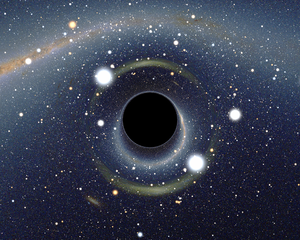
Yes, definitely.generalhead wrote:might look good to add some depth and character to your black hole

Briefing is OK, but the title can go fancier.-Changed font of title and briefing
Why I asked what programme you are using. I can help with this if it is gimp.-Changed the perspective of the briefings (or tried to anyway)
Still having problems reading the darker ones. (Blue and orange)-Changed the names of most of the inhabited planets (I didn't like most of them)

Paint.NET (I know it's not as powerful as gimp, but I find it much easier to use, if I really need to use a feature of gimp I can always move the images into gimp. I think I should be able to get the "star wars" perspective effect without resorting to that though.)koontz1973 wrote:boler, what programme are you using?
Yes, I'll change the name.koontz1973 wrote: Gravity wells, these look like spaceships to me.
Which arms? There's several blues.koontz1973 wrote: Still having problems reading the darker ones. (Blue and orange)
That's the one I liked too, I'll try to recreate that effect.koontz1973 wrote: This from generalhead looks fantastic. Yes please. That very bright centre of the map you have, just turn it into blue with a solid black circle.
Moving over to GIMP is going to be a must. Sorry but just read this. I skimmed the posts this morning when I logged on but after another read, you will need to move over to gimp. I do not know how you can do this as I do not know paint at all. If you have layers, do them one at a time, if not, you will need to start from scratch. Do not worry, if you have to start over as this is common for a lot of us anyway. If you do not know gimp, I am here to help. Just ask anything. Like all map makers, you need to prove you can do it, but I will give any and all advice to do with the graphics to help you find the best way forward. Many map makers are using gimp (seamus76, flapcake) as well as myself. You will get a far better map in the end and also, a map that can be moved forward.Boler wrote:Paint.NET (I know it's not as powerful as gimp, but I find it much easier to use, if I really need to use a feature of gimp I can always move the images into gimp. I think I should be able to get the "star wars" perspective effect without resorting to that though.)koontz1973 wrote:boler, what programme are you using?
koontz1973 wrote: Moving over to GIMP is going to be a must.
No problem.generalhead wrote:Gimp is a great program, I had no idea how to use it at first, but Koontz and Seamus helped me so much with this program. It is ok to redo your map over in Gimp because the more the redo your map in gimp the better you learn the program. There are also a lot of great gimp tutorials on Youtube. Don't worry about the time it takes to do this because the more you work on your map the better it will be in the end. great job so far my friend, I cant wait to see further progress on this.
It's closer to gimp than MS paint (the extremely simple program that comes free with computers) and it has most of the basic features of gimp (layers, blurs, various special effects, roll and pivot, etc.) but lacks some of the finer points. I thought it would be alright to use for drafting the map.koontz1973 wrote:I do not know how you can do this as I do not know paint at all.
Not yet, It's working fine, but I got hit with loads of work, and also caught a cold. I'll get the next update out within the week though for sure.koontz1973 wrote:How is GIMP working out for you? Do you need any help?

 ,but I do like this one better and know my way around conquer club better so I hope I'll be able to pick this one up again someday.