Genealogy:
raygo:
Depends:
Actual Family Tree:
Makes Foundry a Profit Center:
Map Image:
https://drive.google.com/file/d/1bjhq6X ... sp=sharing
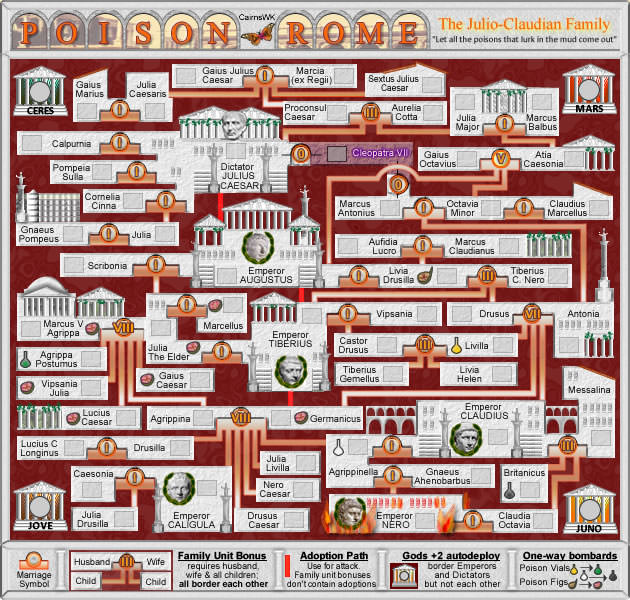
Everyone has a family tree. I am representing to the Conquer Risk Brotherhood that I could forge an alliance with Ancestry.ca to turn their clients family trees into a game. The attached file is an early prototype of the board and game play. I need help to forge this into a beta game so that it can be field tested.
If successful, the valuable skills that exist within this community can be leveraged for more than just self-play.
Anyone interested in working with me to turn my prototype into a forged beta game? If so, I would begin the dialogue with ancestry. Perhaps Cartographers, like Ian, can express and "Executive" perspective on this idea.
With respect and curiosity.
raygo